
Client Portal is an app for customers who want “See an overview of the services in use and track results systematically” in one place. Supports use on both computers and mobile phones. With a screen designed for easy viewing. See important numbers quickly and help the team make decisions more quickly
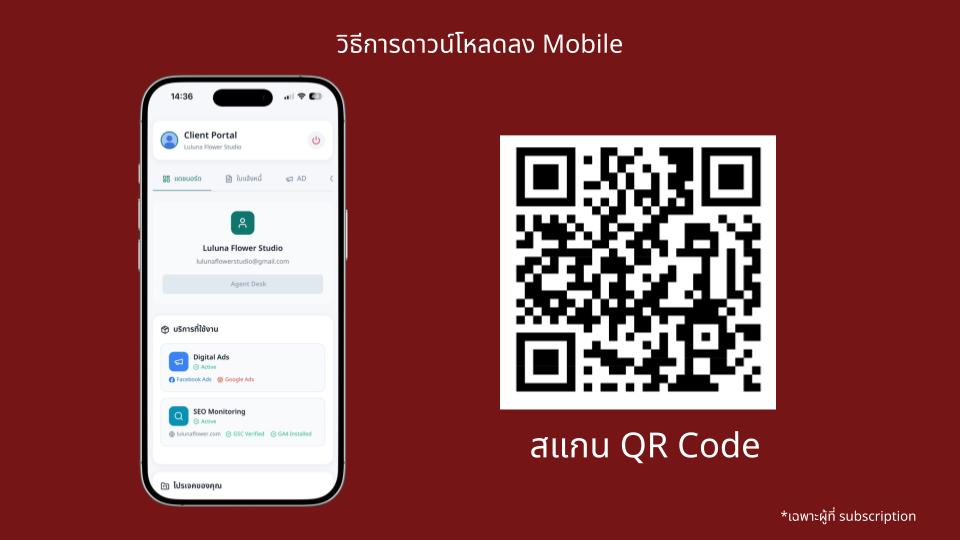
*Cover image: “Downloadable on both PC and Mobile”
User flow overview starts from the Dashboard
After logging in, the Dashboard clearly shows the services you’re currently using and your projects. This helps you see the overall status first, then drill down into each section next reducing search time and making communication between teams more concise
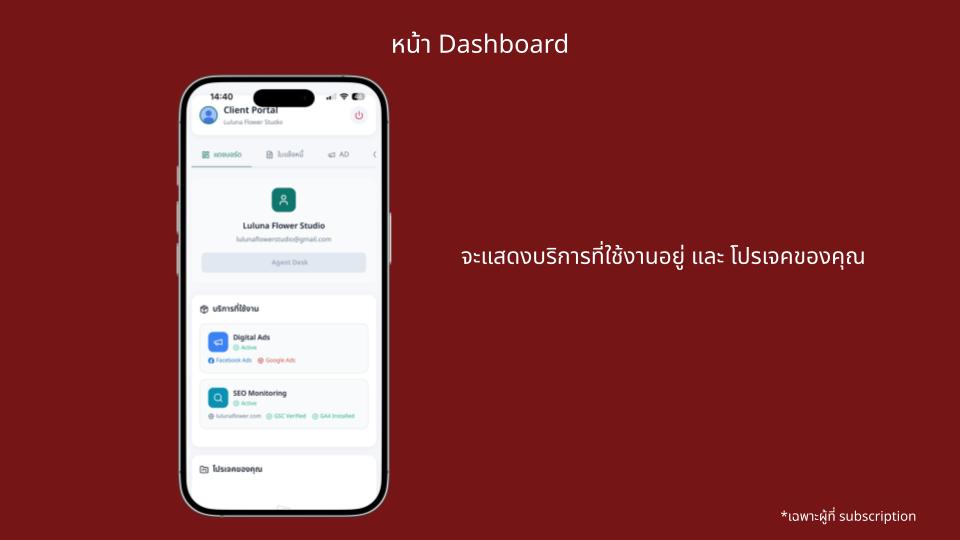
*Dashboard shows your active services and your projects
Invoice page lets clients track payment status on their own
The Invoice page in MAF Portal is designed so clients can review financial information in a structured way by themselves. You can instantly filter items by status, without scrolling through chat messages or digging through old documents.

*Invoice page
AD page view performance separately for Facebook Ads and Google Ads
On the AD page, users can select a time range (e.g., 7 days, 14 days, 30 days, 60 days, 90 days). The system then shows a summarized performance overview, separated into Facebook Ads and Google Ads, so you can evaluate results more directly without switching platforms and reduce confusion during review.
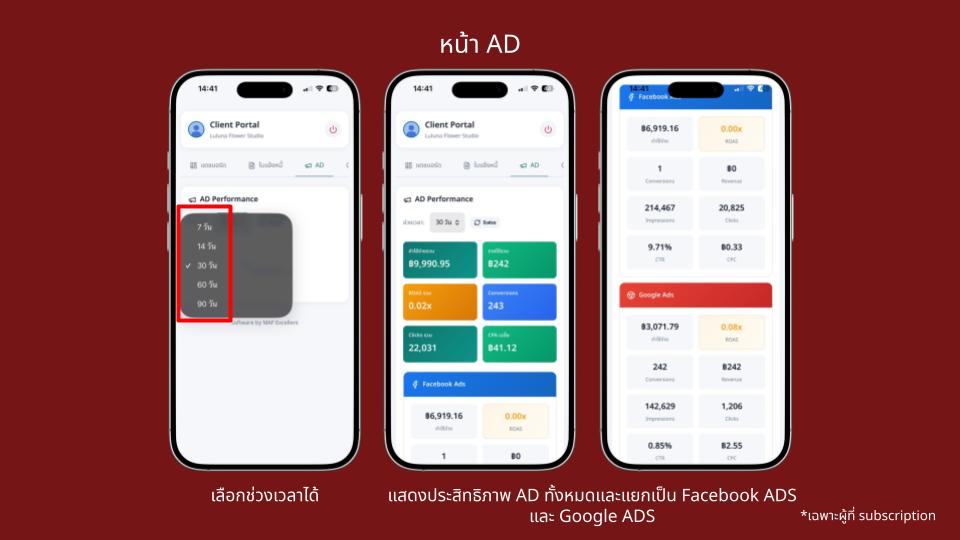
*AD page: selectable time range and summary cards separated by Facebook Ads / Google Ads
SEO page combined results from Google Search Console and Google Analytics
The SEO page also allows time-range selection and presents a summarized SEO overview, separated into:
Google Search Console (search performance overview)
Google Analytics (user behavior on the website)
This section is ideal for quick trend checking such as whether key metrics are improving, or which period signals that content or specific pages should be optimized again.
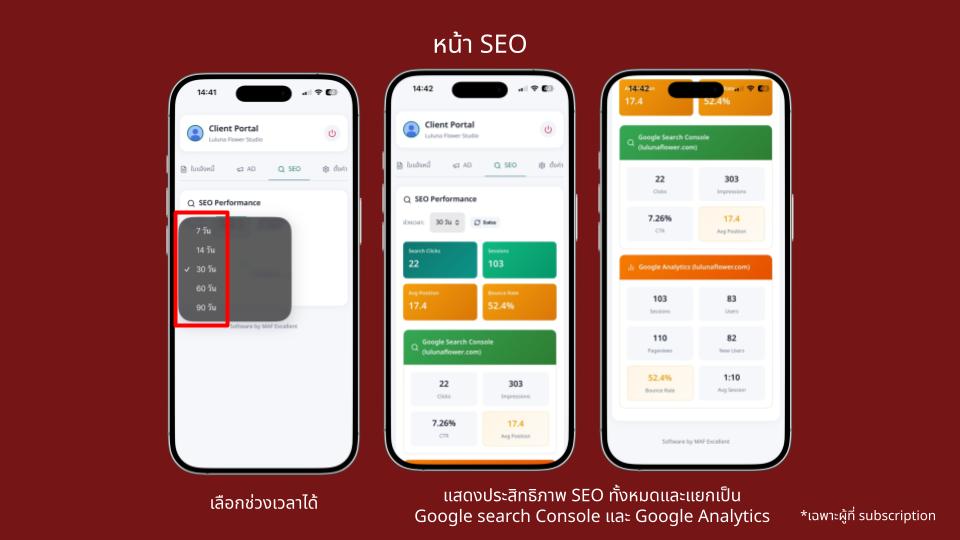
*SEO page: selectable time range and summary cards for GSC / GA
Settings page edit display info and save tax invoice details
The Settings page is designed for users to manage essential information by themselves, such as:
Changing the “display name” in the system
Saving tax invoice details to streamline documentation processes
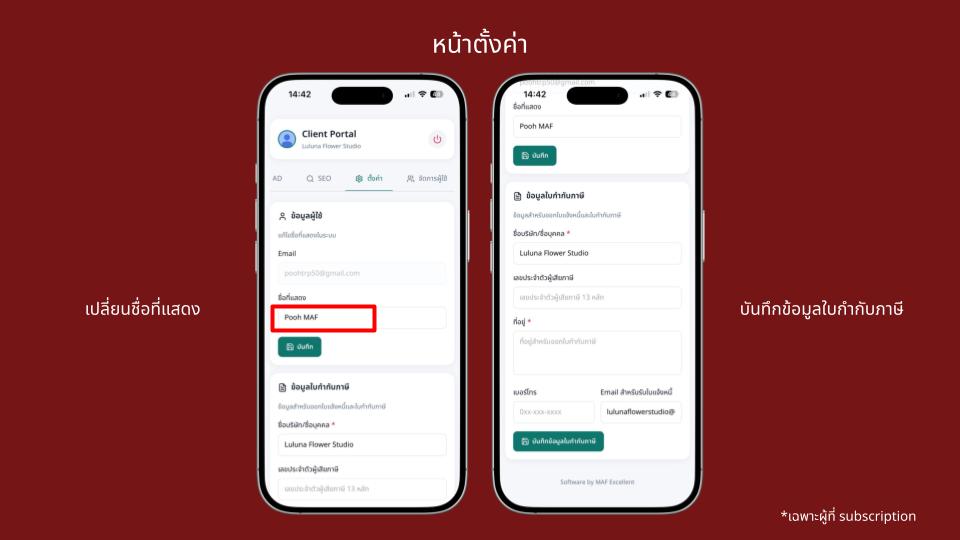
*Settings page: change display name and save tax invoice details
Account management page add users by email
In Account Management, you can add additional users who can access the portal by entering their email address. This makes collaboration easier and helps manage access permissions in a more structured way.
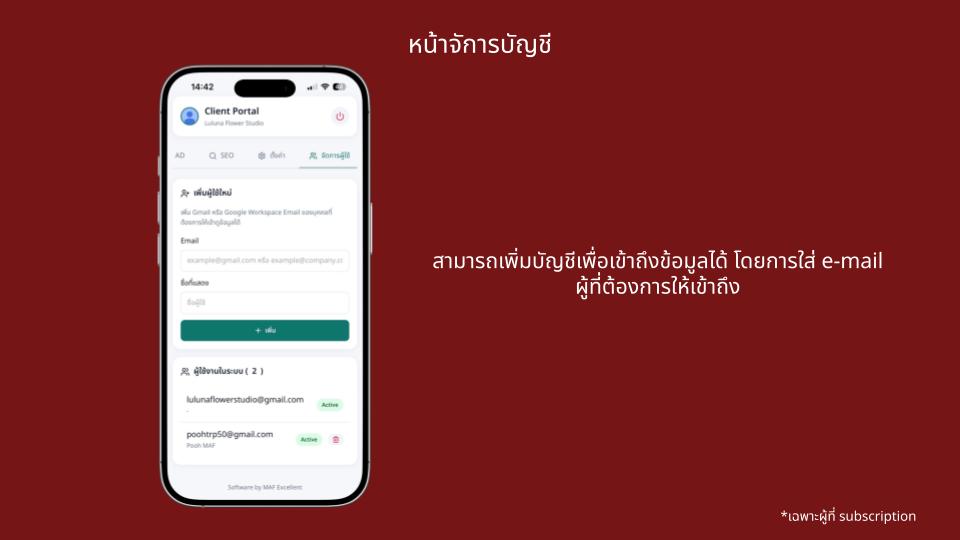
*Account management page: add accounts for access
MAF Portal is designed to make collaboration between clients and our team clearer, faster, and truly measurable and to grow with your business in the long term.