

SpeedSpend is designed for real-life daily use with a focus on speed, clarity, and effortless summaries. It helps business owners, teams, and general users track cash flow in a structured way, reduce confusion, and turn the data into something they can use immediately—whether for follow-ups, reporting, or better financial planning.
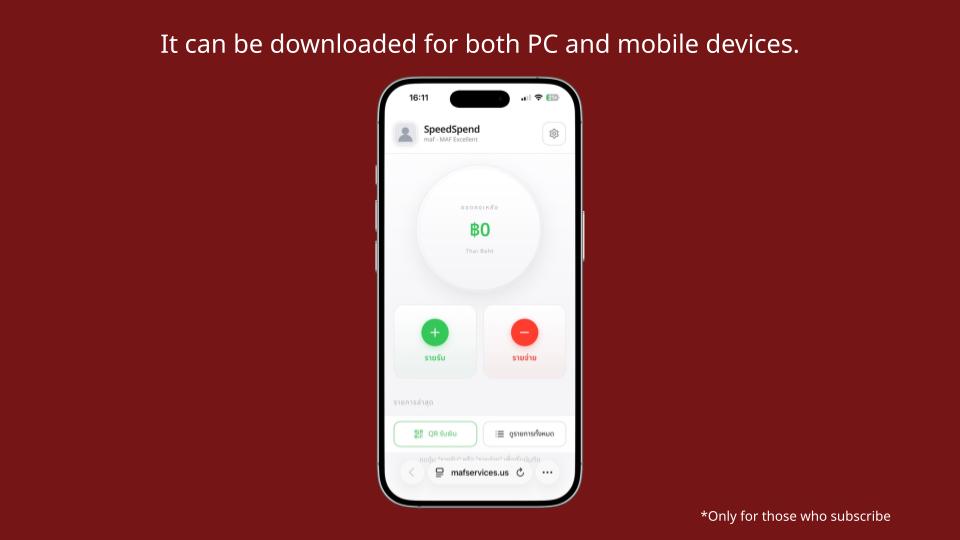
*Cover image Downloadable on both PC and Mobile
Works on both PC and Mobile Easy to install like an app
SpeedSpend supports both desktop and mobile so you can choose what fits the moment Whether you are at the shop, on the go, or summarizing numbers at the end of the month, it stays convenient On mobile, you can add it as an icon on your home screen, so you can open it quickly just like a real app
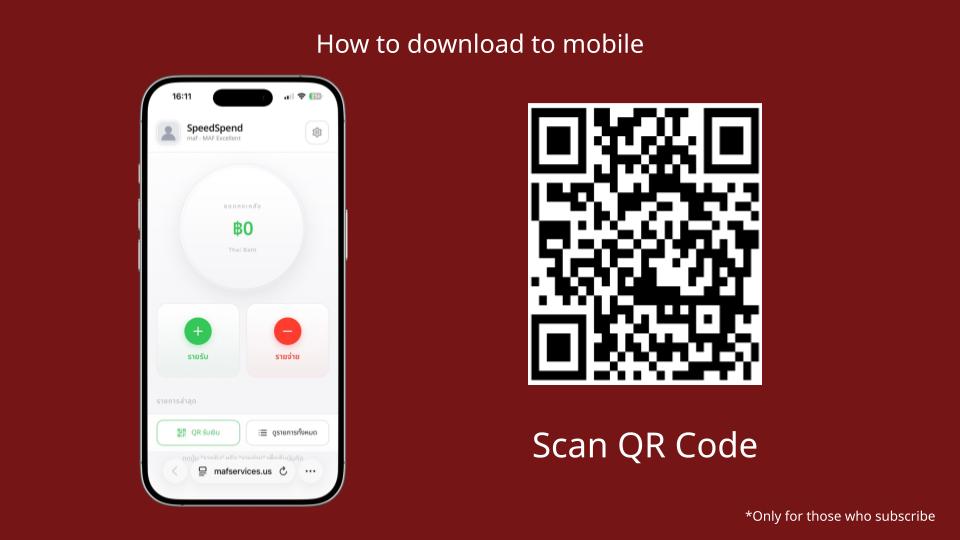
*Scan the QR code
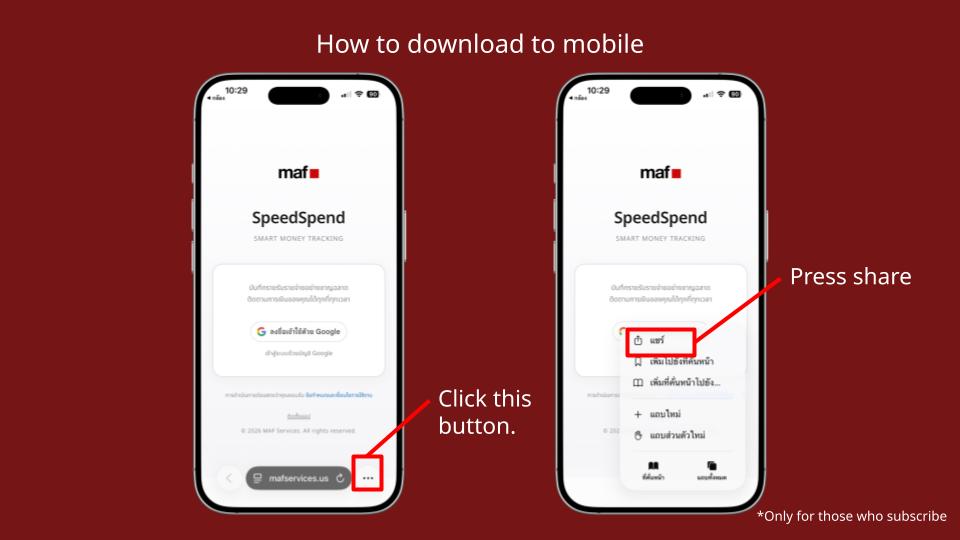
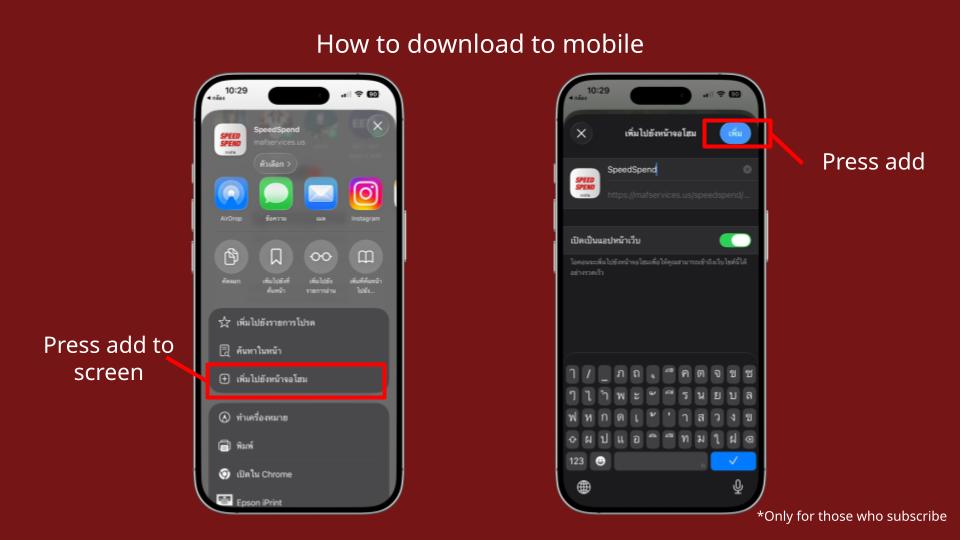
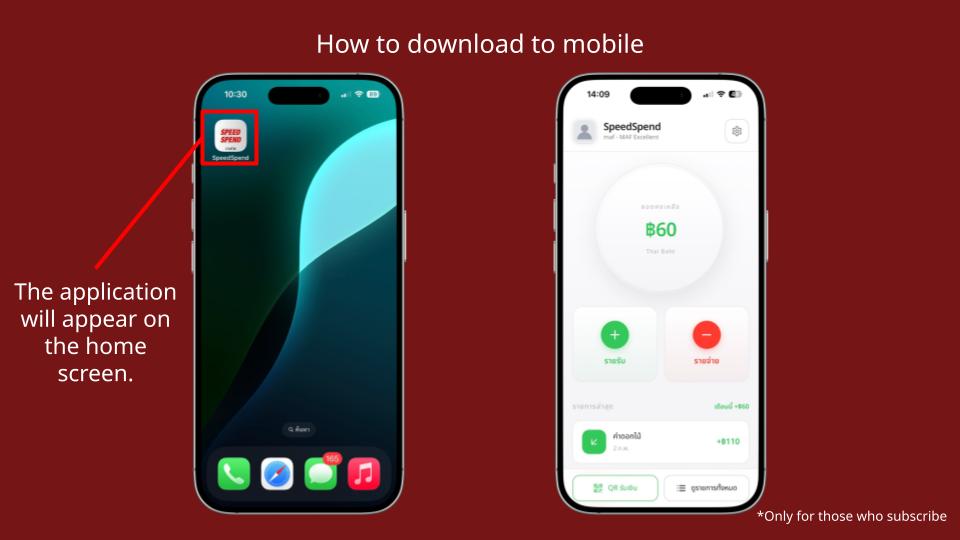
Home screen shows your total clearly Record income and expenses instantly
Once you open SpeedSpend, the first screen shows your total balance and the two most important shortcuts Record Income and Record Expense This lets you log transactions immediately without digging through multiple menus It also guides you to fill in complete details such as amount, description, category, attach slip or photo, then save
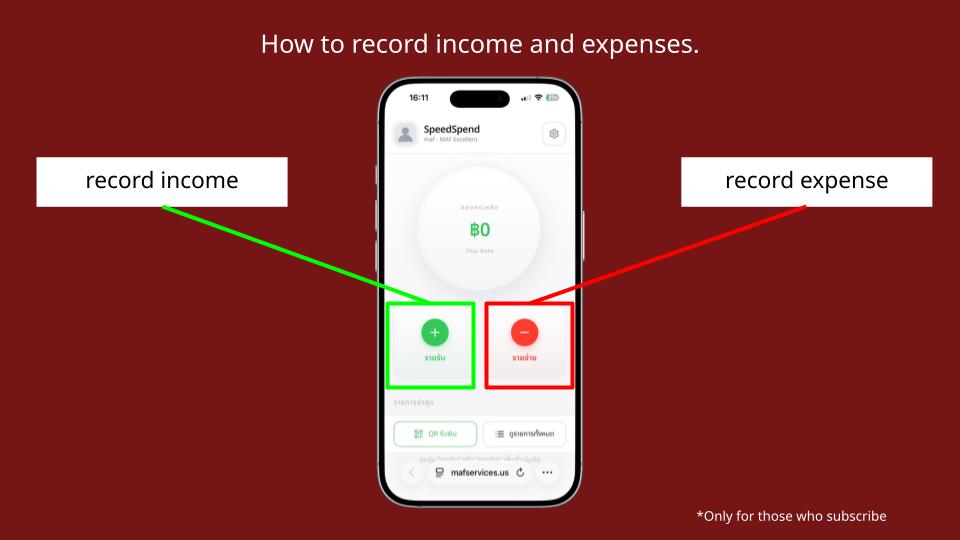
*How to record income and expenses
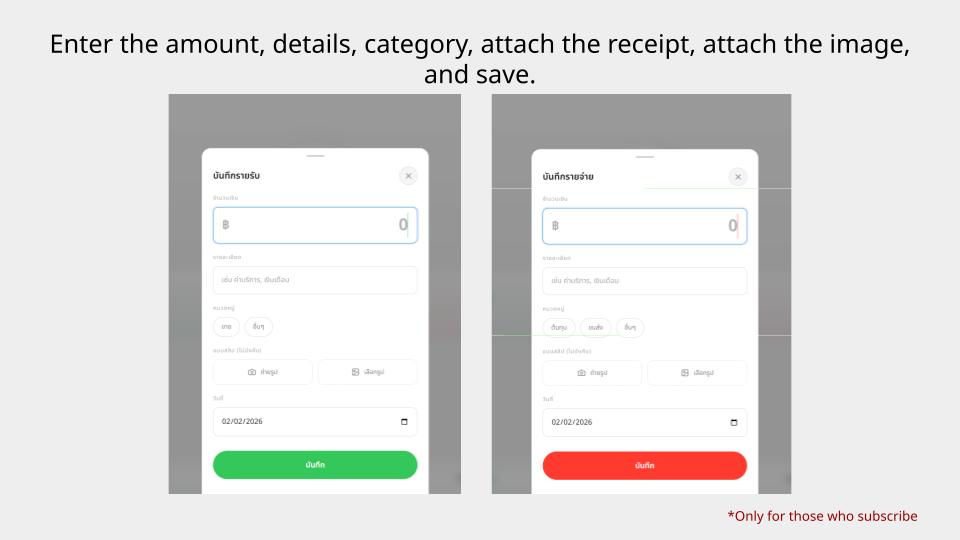
*Enter amount, description, category, attach slip, attach photo, and save
Add your QR code and logo on the same page
One key highlight of SpeedSpend is how easy it is to use a “Receive Money QR” Tap the QR menu and the system instantly shows your QR for receiving payments You can also enhance it by adding a QR code and inserting your logo, making it look more professional This is great for shops and anyone who wants to use QR payments with a stronger brand image
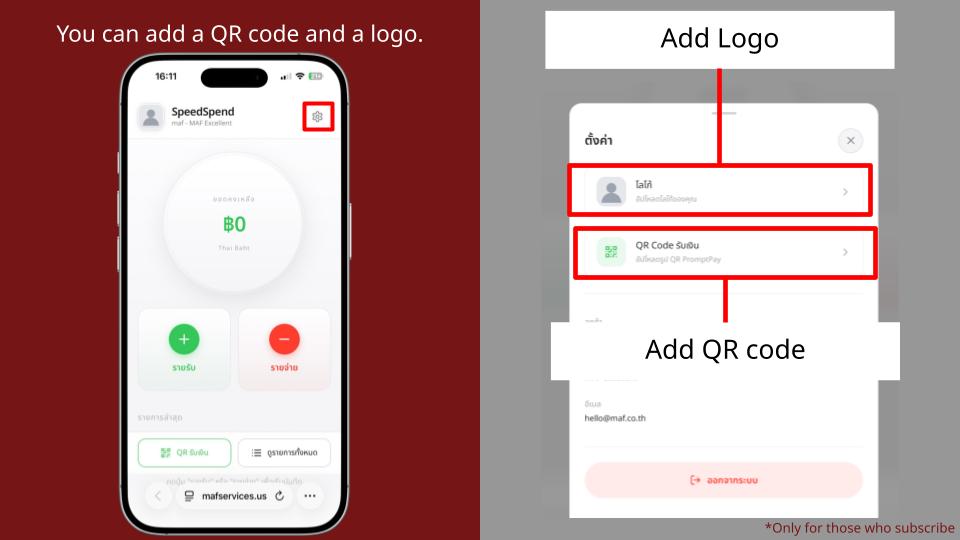
*You can add a QR code and logo
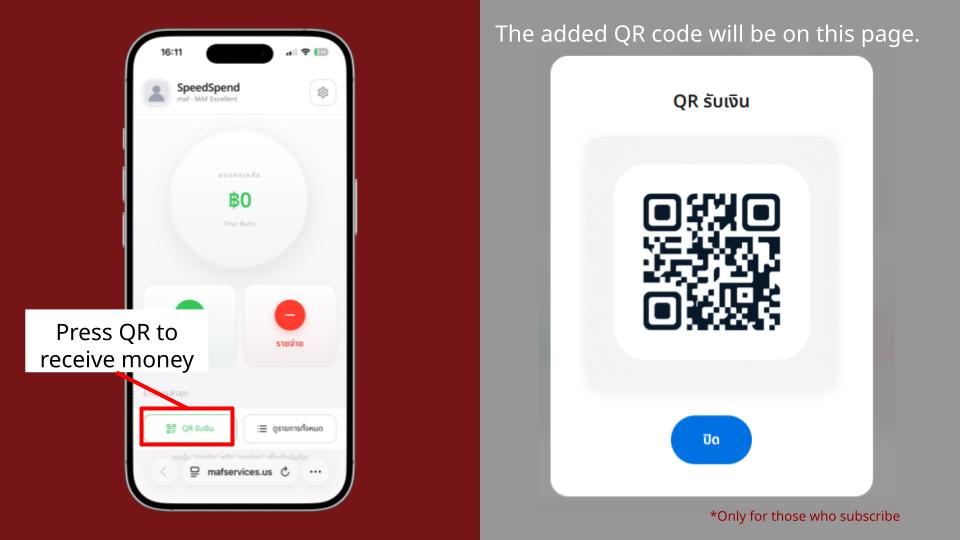
*Tap Receive Money QR The QR you added will appear on this page
Choose the month you want Export income and expenses as a PDF
For monthly summaries or sharing with your team or partners, SpeedSpend lets you select the month you want to review Then you can export your income and expense records as a PDF instantly This makes reporting much easier, both for internal documentation and organized backtracking
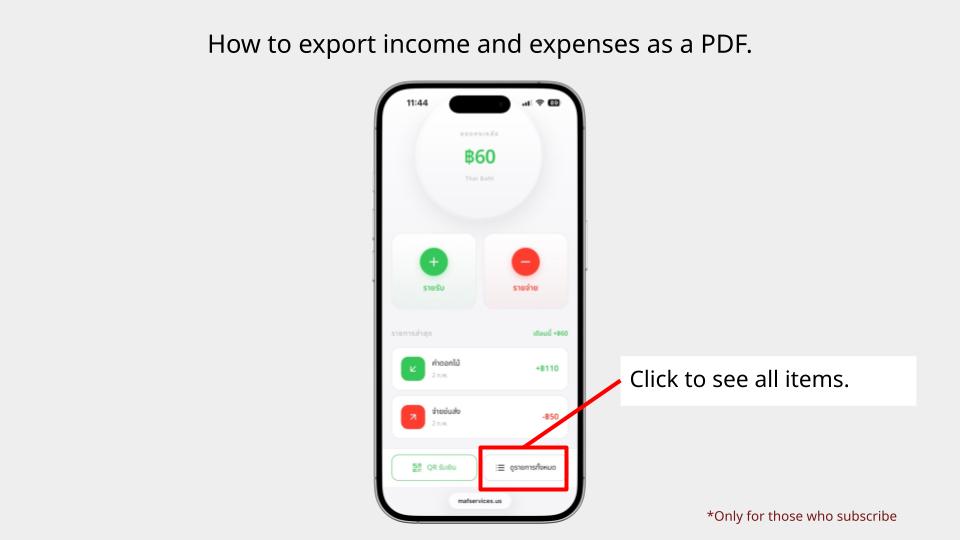
*How to export income and expenses as a PDF (tap All transactions)
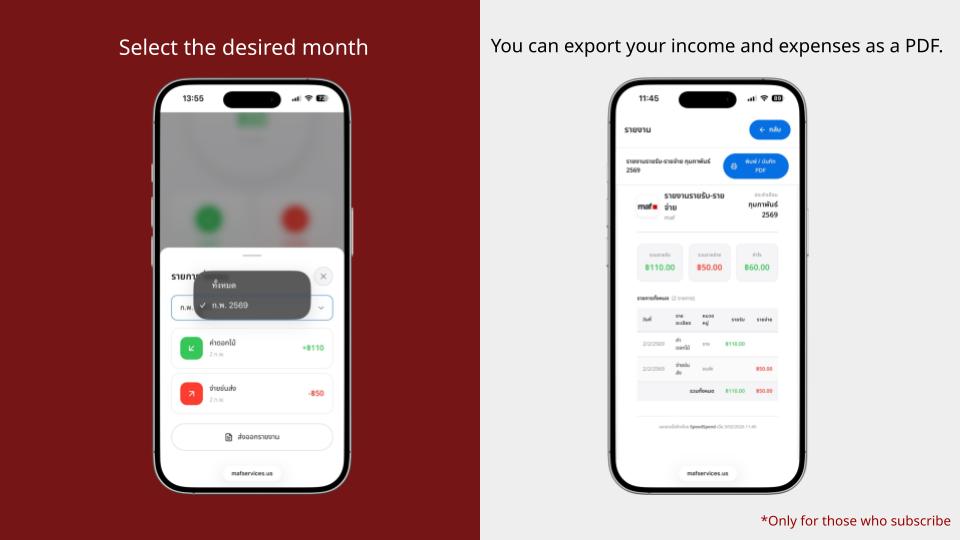
*Select the month you want and export income and expenses as a PDF
Everything stays on one page Automatic total calculation
After you record transactions, the system organizes and keeps everything neatly in one place It also shows an overall summary automatically, making it faster to track your status Less manual calculation, fewer mistakes, and clearer visibility into your income and spending trends With consistent use, financial planning becomes much more “actionable” and realistic
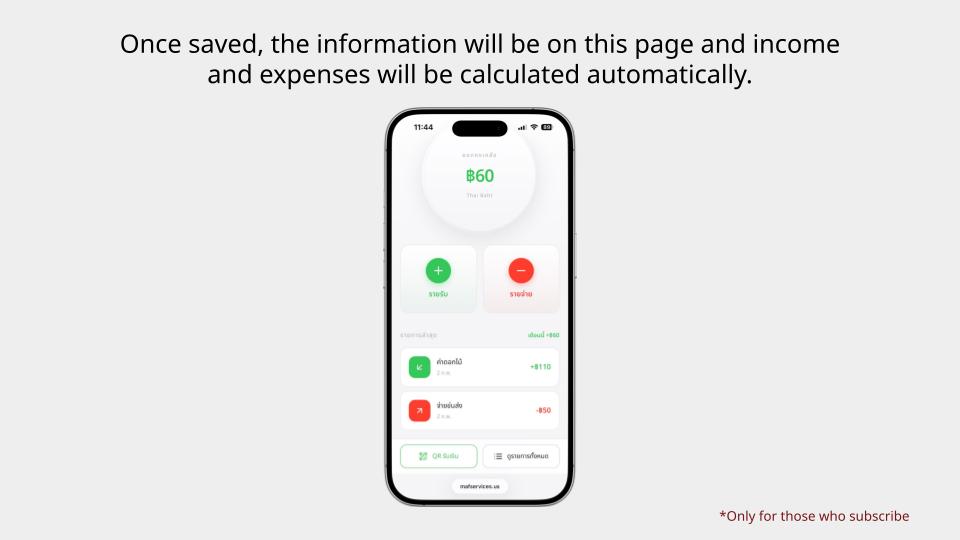
*After saving, your data will stay on this page with automatic income and expense calculations
If you are looking for a tool that makes bookkeeping easier, summarizes instantly, and is practical for real use, SpeedSpend is a solid starting point for managing income and expenses in a professional way